For bookkeepers, accountants and tax professionals
DanScan gives each of your clients a private folder. They snap receipts with their phone. You receive them organized by category and month, ready for QuickBooks.
Available in 6 languages
DanScan works in English, Portuguese, Spanish, French, German and Arabic. It opens automatically in the language of your client's phone or computer, and anyone can switch with one tap. Arabic reads fully right to left.
How it works
No more chasing receipts by text and email. Your clients already have the scanner in their pocket.
Type their name. DanScan creates a private folder and a unique access code to share with them.
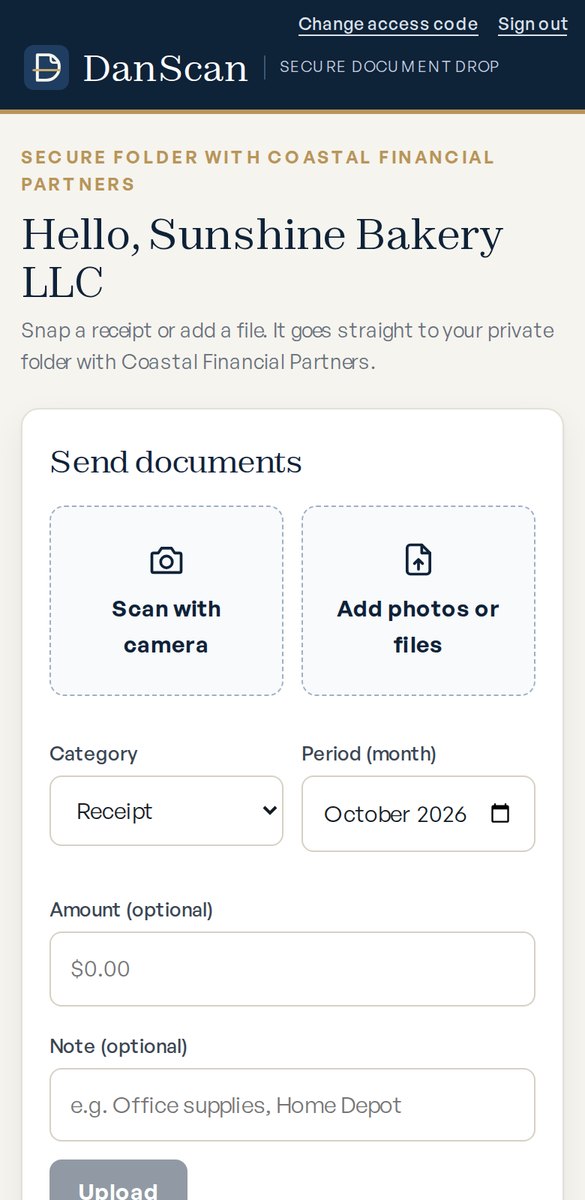
Clients open DanScan on any phone, tap Scan, and send. No app store download, no new password to forget.
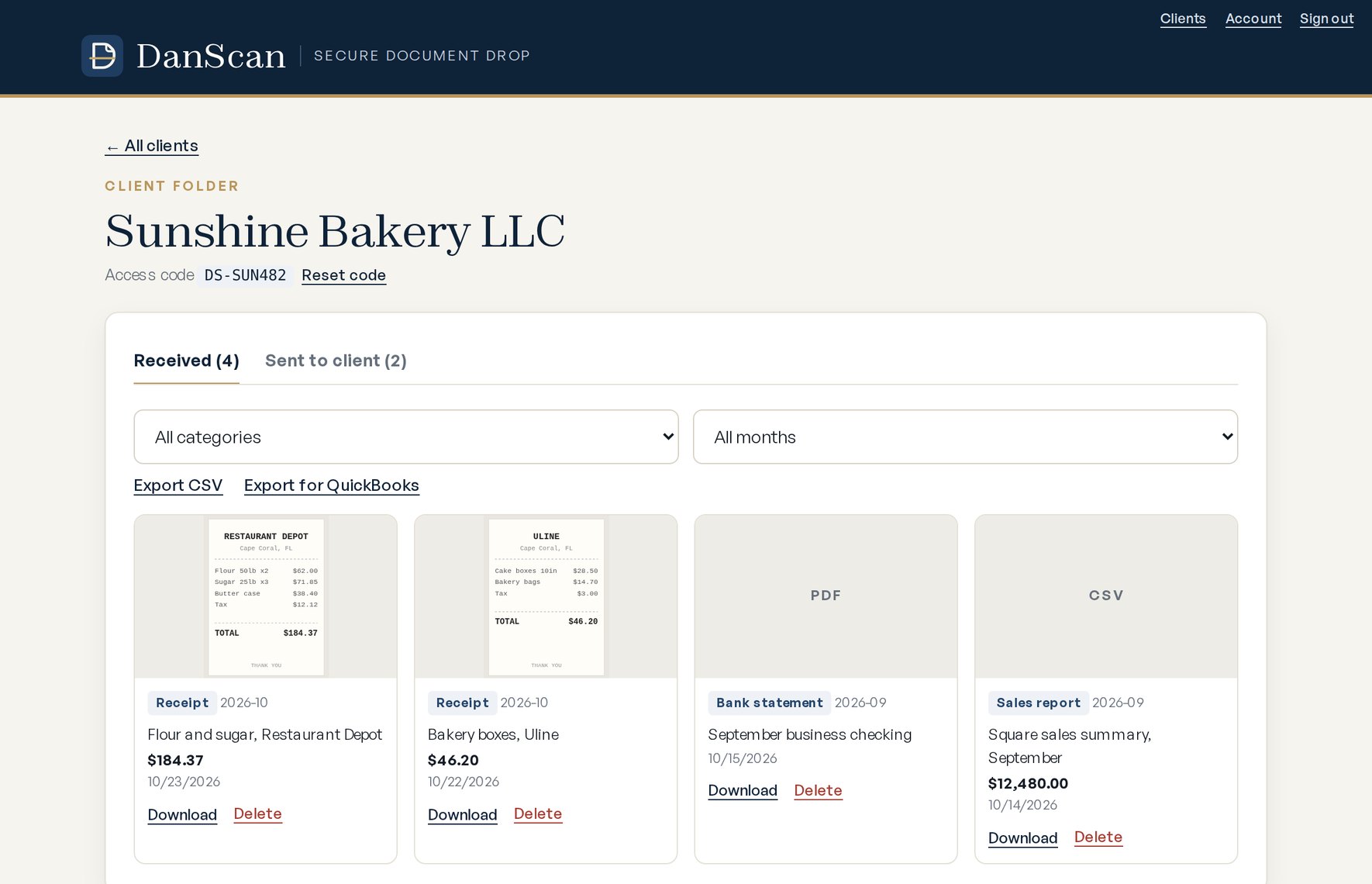
Documents arrive sorted by category and month. Send finished returns back, or export straight to QuickBooks.
Built for the way you work
Clients photograph receipts and invoices in seconds, or add PDFs, spreadsheets and statements.
Each client has a separate, private space. Unread documents are flagged so nothing slips through.
Receipts, bank statements, payroll, sales reports and tax forms, filtered in one click.
Send completed returns, reports and forms back to the client's folder. One place for everything.
Download a clean CSV formatted for QuickBooks or Xero bank import, or a full document list.
Phone, tablet or computer. Clients can add DanScan to their home screen for one-tap access.
QuickBooks export
When clients add an amount, DanScan turns their uploads into a file QuickBooks can import as bank transactions.
Security and privacy
Your clients hand you their most sensitive financial records. DanScan is designed to keep them private and in your control.
Every page, upload and download is served over HTTPS, so documents are encrypted on the way to you.
Each client can see only their own documents. Firms can see only their own clients.
Reset any client's access code in one click. Remove a client and their files whenever you choose.
We don't sell information, show ads or use your documents for tracking. Ever.
Billing is processed by Stripe. Card numbers never touch DanScan's servers.
A plain-language Privacy Policy and Terms of Service you can share with clients.
Pricing
No per-user fees. Every plan includes every feature and starts with a 14-day free trial.
Questions
No. Clients open DanScan in their phone's browser and sign in with the access code you give them. They can add it to their home screen so it works like an app.
Choose a plan in your Account page to keep going. If you don't, your account pauses. Your clients and documents are kept safe until you decide.
Yes. Add each client by name and share their code. Most firms are set up in a few minutes.
Open a client folder, filter by category or month, and choose Export for QuickBooks. You'll get a three-column CSV (Date, Description, Amount) for QuickBooks bank transaction import.
Yes. Choose Export for Xero in any client folder to download a CSV in the layout of Xero's bank statement import. See the step-by-step guide.
Yes. Every firm has a referral link on its Account page. A firm that signs up with your link gets a 30-day free trial, and you get one month free when they subscribe.
Only you and the client who uploaded them. Other clients and other firms cannot see them. See our Privacy Policy for details.
Yes. Manage or cancel your subscription from your Account page at any time. There are no setup fees or contracts.
Set up your firm in minutes. Free for 14 days, no credit card required.